How members join
A member can enter the club through four routes: the registration form they fill in themselves, a quick registration from the POS (the cashier types only a phone number — the member completes the rest later from a link), a full registration from another channel (self-order QR, online ordering — every field collected up front), or an import. Every member carries a registration source that says which route and which system they came from. The quick route is the one that surprises people: those members legitimately arrive with no name and no consents, and the platform chases the missing data for you.
What every member needs, eventually
Whatever the route, a complete member is two things:
- An identity handle — a phone number, or an email address. One of the two is enough to create the member; it is what the platform identifies them by and sends to.
- The mandatory fields of your registration form — typically name, terms of use, and GDPR consent.
The routes below differ only in when the second part is collected: all at once, or later.
Marketing communication consents (SMS, email, push) can never be made mandatory — GDPR requires them to be a free choice. A member can be complete and still have every marketing consent unticked, and campaigns will skip them until they opt in.
Route 1 — The registration form
The member fills in your public registration form themselves — from the loyalty web app, a QR code, a link in a campaign. Every field you marked as required is collected before the member exists. Nothing is pending afterwards.
Route 2 — Quick registration from the POS
The fastest way to sign someone up at the till, and the reason it exists: at a busy counter, nobody is going to type a full form.
- The customer says yes to joining the club.
- The cashier asks for a phone number (or, less commonly, an email address) and enters it in the POS.
- The POS sends it to the platform, and the member is created immediately — with nothing but that phone number.
- The platform sends the member an SMS or email asking them to finish, using the template you configured under Legals. The message carries a link to your registration form.
- The member taps the link, fills in the mandatory fields, and is complete.
Until they do, they stay in the incomplete state — and every time they open the loyalty web app they are redirected back to the form. Nothing is lost in the meantime: they earn on their purchases from the first ticket.
What an incomplete member looks like
Phone number only, no name, no email, no birthday, every consent box unticked — while the activity timeline already shows purchases, points, and the completion message that went out.
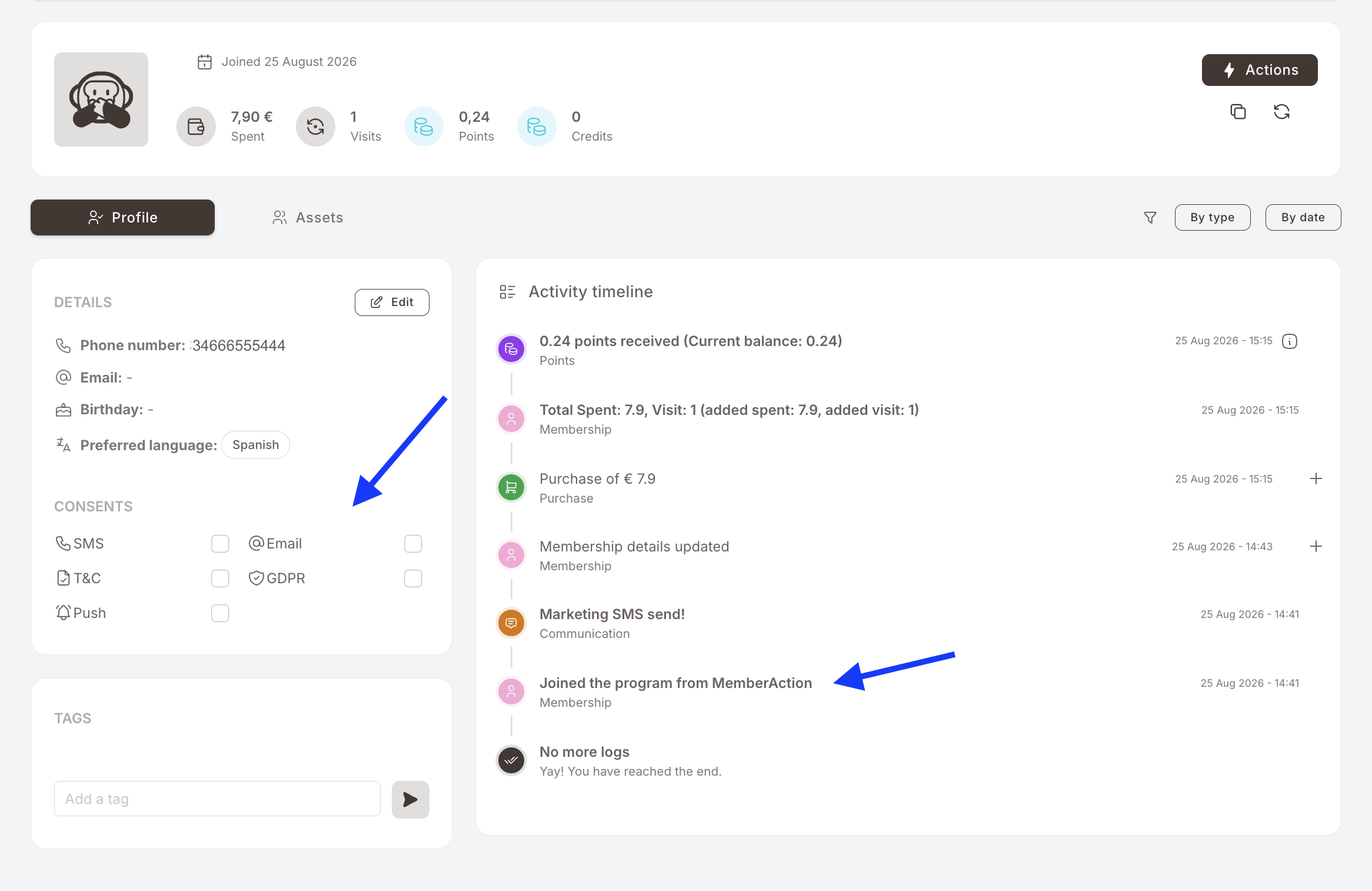
This is expected, not a data problem. A club running quick registration will always have a population of members sitting between step 3 and step 5.
Route 3 — Full registration from another channel
The same connection the POS uses can carry the whole form, not just a phone number. Wherever a customer can be shown a proper registration screen — a self-order QR menu, an online ordering site, a kiosk, the partner's own app — that channel can collect every field, consents included, and send them all at once.
Members arriving this way are complete from the first second: no pending fields, no completion message, no redirect when they open the web app.
Which of the two routes a channel uses is decided by whoever built the integration, per channel. A single club very often has both: quick registration at the till, full registration on the QR menu.
For your integrator — where the technical detail lives
Both routes are the same registration call, with a different amount of data in it. The field list, the consent flags, and the registration-source fields are documented for developers in the developer documentation. Nothing on this page needs to be configured by hand — it is your POS or ordering partner who chooses which fields to send.
Route 4 — Import
A one-off or periodic bulk load from a file, for members you already had before the club started. See Import members.
Where a member's route is recorded
Two places on the member profile:
- The activity timeline — the oldest entry on every member is how they joined, e.g. Joined the program from MemberAction.
- The Edit modal — Registration source name (the name of the system that sent the registration — your POS, your ordering channel) and Registration source type (e.g.
App). Both are read-only.
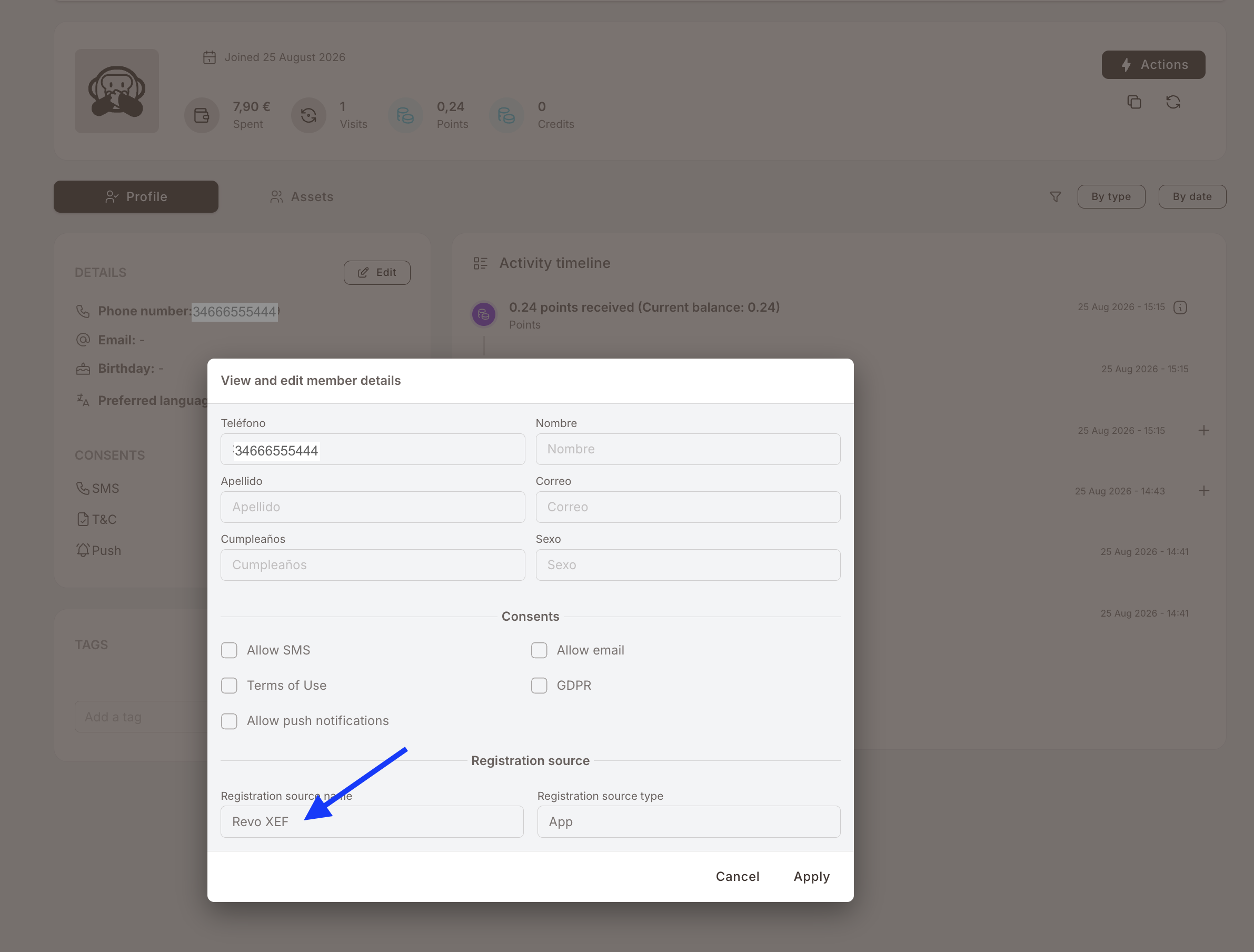
This is the answer to "where did these members come from?" — and, when a batch of members shows up with nothing but a phone number, the answer to "why do they look empty?"
What to configure for the quick route
One card, on the Legals page: Member consent settings.
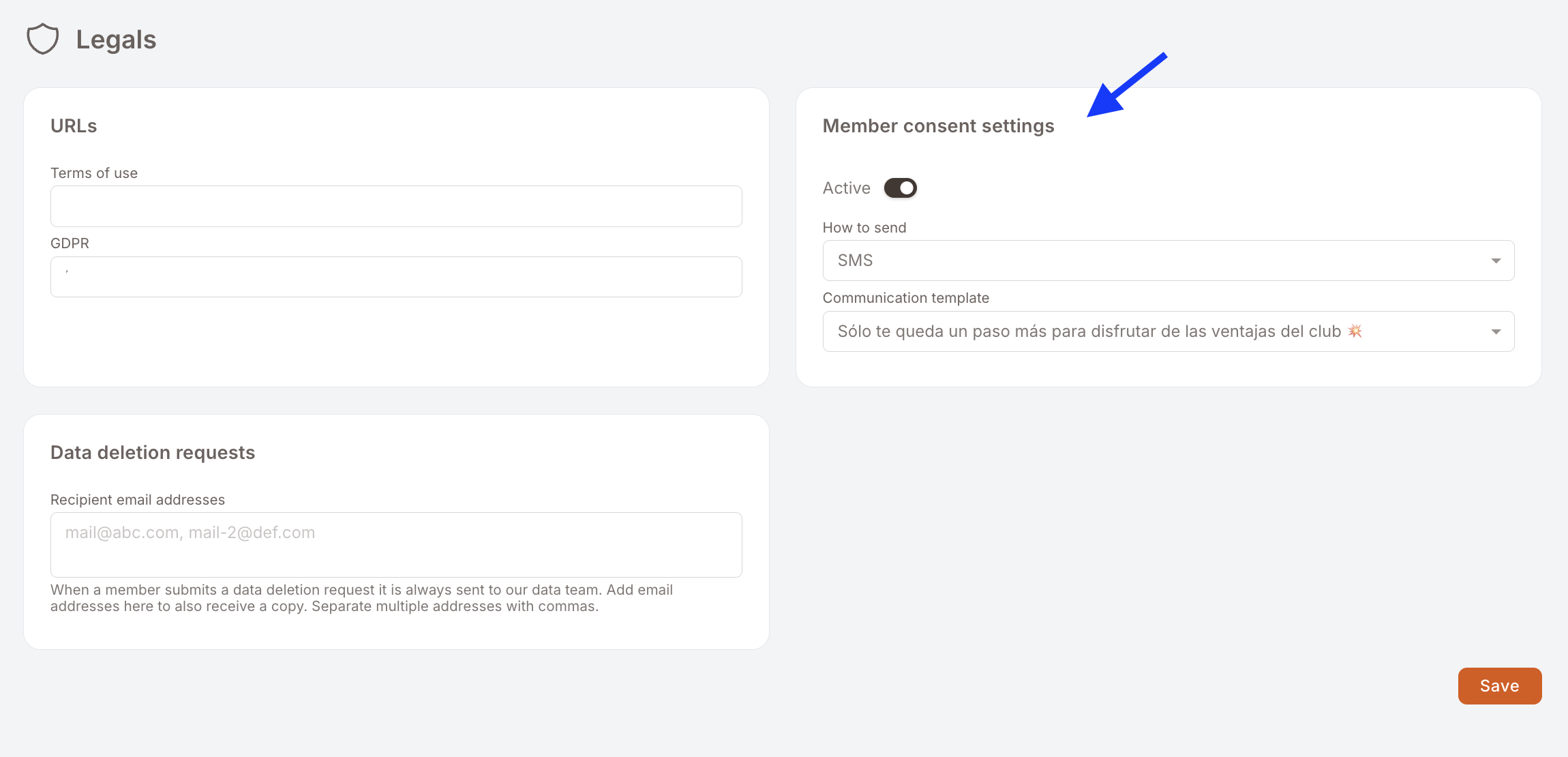
- Active — on, or nothing is sent and quick-registered members stay incomplete forever.
- How to send — the channel used to chase the member: SMS or email. SMS is the usual choice, because on the quick route a phone number is normally all you have.
- Communication template — the message itself, picked from your communication templates.
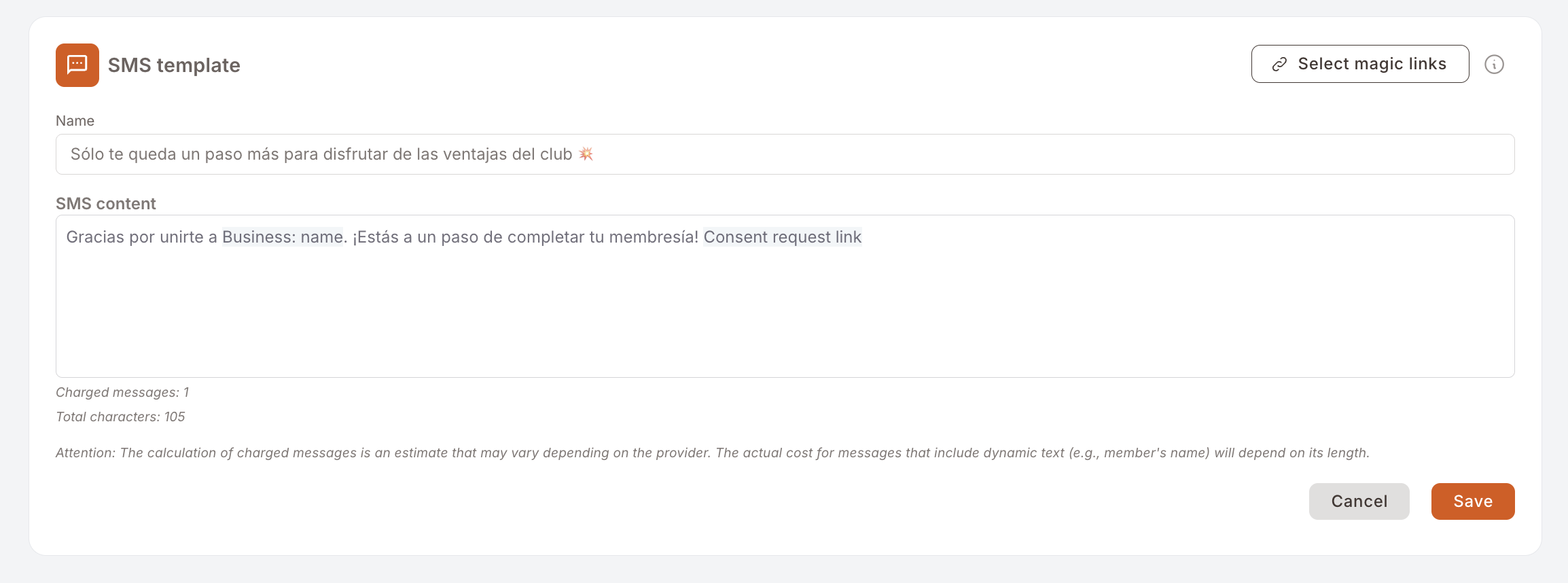
The template has one hard requirement: it must contain the Consent request link, inserted from Select magic links in the template editor. That magic link is what carries the member to their own registration form. A template without it sends a message the member cannot act on.
Gotchas
5 things that come up with quick registration
- Empty-looking members are the flow working, not failing. Phone number, no name, no consents — that is exactly what step 3 produces. Check the registration source before treating it as a data-quality incident.
- No consents means no marketing sends. Until the member completes the form, campaigns skip them at delivery. They still earn and still show up in reports — they just do not receive.
- The completion message goes out once, on registration. If the number was mistyped, nobody receives anything and the member sits incomplete. The cashier re-checking the number at the till is the only real fix.
- A template without the Consent request link is a dead end. The member gets a friendly message and no way to act on it. Insert the link from Select magic links, not by pasting a URL.
- Making a field required affects the incomplete population too. Add a required field to the registration form and the members still waiting at step 4 will be asked for it as well, since they complete against the form as it is when they open it.